
The Complete Guide to Setting Up Your Email Infrastructure for Cold Outreach
Cold email does not fail only because of copy. It often fails because the infrastructure underneath it was never built to scale safely.
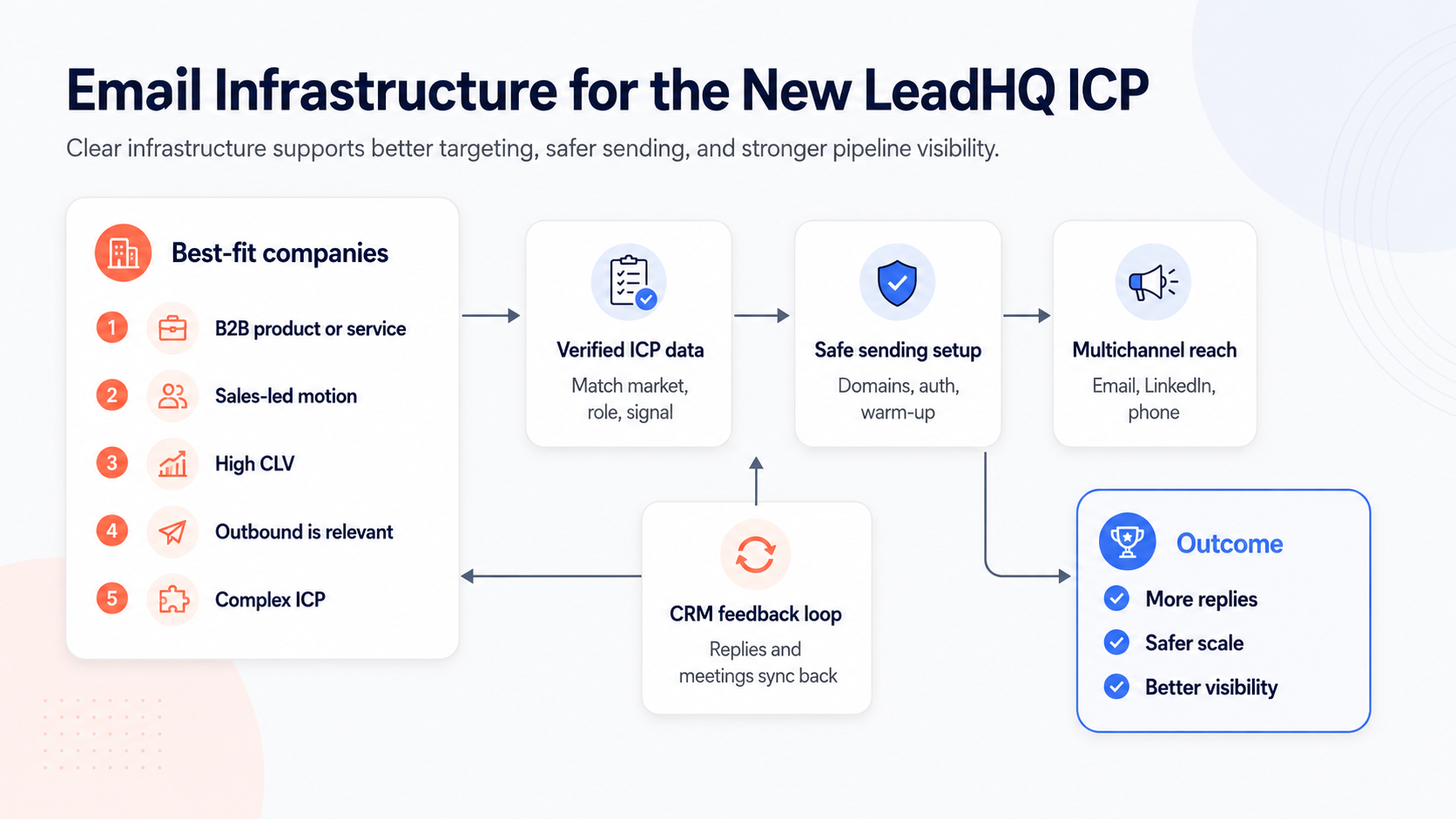
If outbound is part of your lead generation mix, your email infrastructure is not a technical afterthought. It is the foundation that determines whether your messages reach prospects, land in spam, or damage your brand domain.
This matters even more for the companies LeadHQ typically works with: B2B companies with a sales-led motion, high-value deals, and a clear need to generate predictable pipeline beyond inbound.
When the customer lifetime value is high, the cost of broken deliverability is also high. A few missed replies can mean missed opportunities worth tens of thousands of euros.
Email infrastructure is not about sending more. It is about sending safely, measuring clearly, and protecting the commercial engine.
Why You Should Not Send Cold Outreach From Your Main Domain
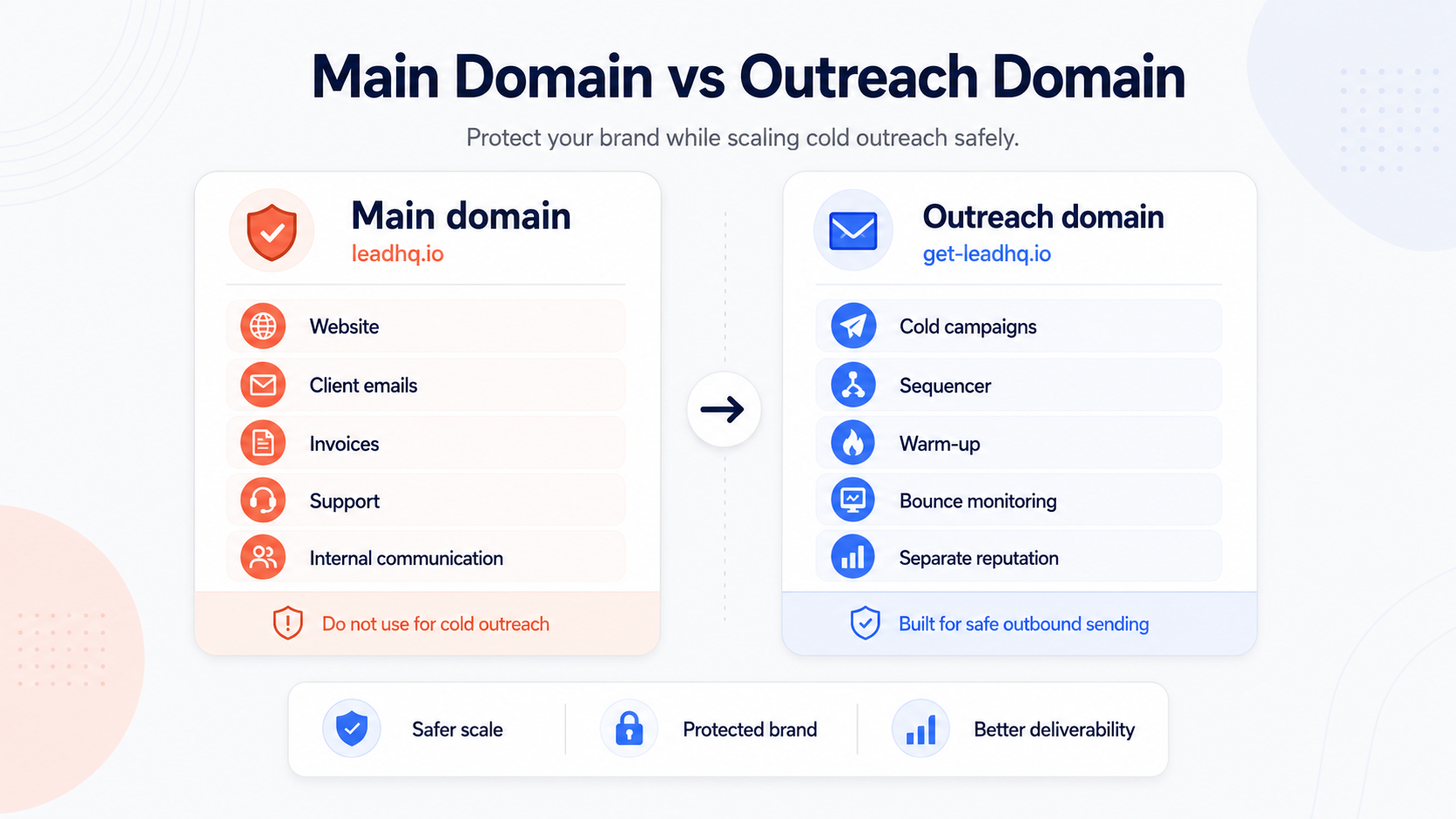
Your main domain is where your brand lives. It powers your website, internal email, client communication, invoices, support conversations, and investor or partner communication.
Using that domain for cold outreach creates unnecessary risk. If your outreach generates bounces, spam complaints, or poor engagement, the reputation damage can affect more than just campaigns.
The safer setup is to create a separate outreach domain that looks credible and connected to your brand, while keeping your main domain protected.
The Basic Infrastructure You Need
A strong cold outreach setup usually has four core layers.
01
Main domain
Your primary brand domain, for example leadhq.io. This should be protected and not used as the main cold outreach sending domain.
02
Outreach domain
A separate sending domain used for outbound campaigns. It should be close enough to your brand to feel legitimate, but separate enough to protect your main domain.
03
Authentication
SPF, DKIM, and DMARC prove that your emails are legitimate and that your sending setup is properly aligned.
04
Sending layer
Mailboxes, warm-up, sending limits, sequencing, monitoring, and CRM feedback loops that keep outreach controlled.
SPF, DKIM, and DMARC Are Not Optional
Authentication tells inbox providers that your emails are allowed to be sent from your domain. Without it, even good outreach can look suspicious.
SPF defines which servers are allowed to send email on behalf of your domain. DKIM adds a cryptographic signature that proves the message has not been tampered with. DMARC tells receiving servers what to do when authentication fails.
Together, they create the minimum technical foundation for serious outbound.
Warm Up Before You Scale
A new outreach domain and mailbox should not immediately send high outbound volume. Inbox providers look for sending patterns. Sudden spikes are a warning signal.
Start conservatively. Let the domain build a sending history. Monitor bounces, replies, opens where available, and spam placement. Scaling too quickly can destroy the reputation you are trying to build.
Deliverability Is a System, Not a One-Time Setup
Many teams treat email infrastructure as something they configure once and forget. That is a mistake.
Deliverability changes over time. Mailboxes age. Campaigns vary in quality. Prospect data decays. Reply rates fluctuate. Blacklists and spam filters change.
The teams that scale outbound successfully monitor infrastructure continuously. They test inbox placement, watch domain health, rotate intelligently, and adjust volume based on performance.
Where the New LeadHQ ICP Fits
Infrastructure matters most when outbound is commercially meaningful. That usually means a B2B product or service, a sales-led motion, a clear economic buyer, and high enough customer lifetime value to justify disciplined outbound.
It also matters when the ICP is complex. If your best prospects require custom qualification, manual verification, or niche data points, the infrastructure has to support more than sending. It has to connect prospect data, outreach, replies, meetings, and CRM learning into one system.
That is the difference between sending campaigns and building a repeatable outbound engine.
Cold Outreach Email Infrastructure Checklist
Use this checklist before scaling cold outreach. The goal is simple: protect your main domain, build a safe sending layer, and make sure replies, meetings, and engagement flow back into your CRM.
Domain setup
Authentication
Sending layer
Monitoring and CRM
Tip: click “Download / print checklist” and choose “Save as PDF” in your browser.
The Real Goal: More Replies Without More Risk
Email infrastructure should make outbound safer and more measurable. It should protect the main domain, support consistent sending, and give the sales team visibility into what is working.
When the setup is weak, reps lose confidence, replies disappear, and leadership cannot trust the numbers. When the setup is strong, outbound becomes easier to manage, easier to improve, and safer to scale.
Question for sales leaders
Is your email infrastructure ready to scale outbound safely?
Before increasing volume, make sure your domains, authentication, mailboxes, monitoring, and CRM feedback loop are built correctly.